エンドースを依頼する
- エンドースメント機能は、発行団体が、オープンバッジごとに、利用可否を設定します。
- 受領したオープンバッジに、発行団体が本機能を設定するまでは、エンドースの依頼や作成ができませんので、ご了承ください。
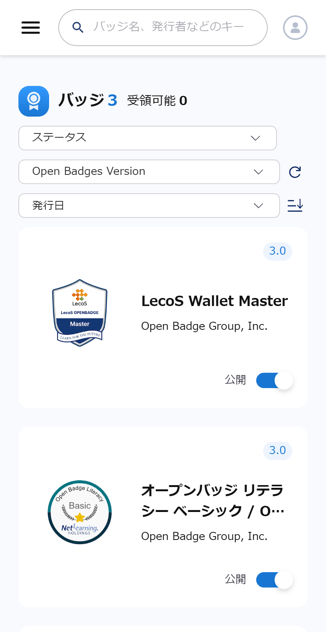
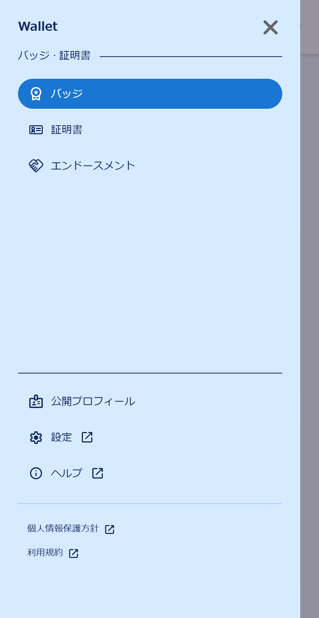
- メニューの「バッジ」を開きます。
.png?width=319&height=618&name=sa-wallet.openbadge.net_credential_list%20(4).png)
- エンドースを依頼する、対象のバッジをクリックします。
.png?width=326&height=632&name=sa-wallet.openbadge.net_credential_list%20(3).png)
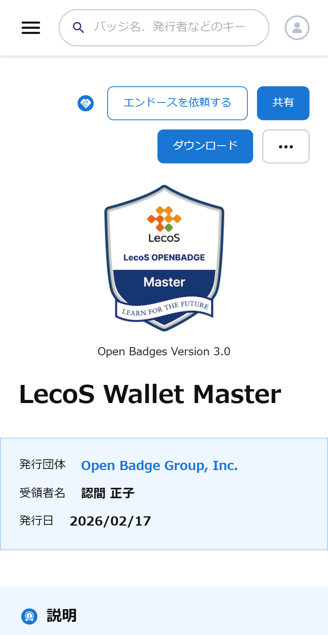
- 「エンドースを依頼する」をクリックします。
.png?width=328&height=636&name=sa-wallet.openbadge.net_credential_view_914e3521-e4bd-880e-95a7-019c6a26c923%20(2).png)
- エンドースを依頼する先のメールアドレスを入力して「選択」をクリックします。
.png?width=332&height=644&name=sa-wallet.openbadge.net_endorsement_request_914e3521-e4bd-880e-95a7-019c6a26c923_returnTo=_credential_view_914e3521-e4bd-880e-95a7-019c6a26c923%20(1).png)
- 依頼先に送るリクエスト文章を入力して、「確認する」をクリックします。
.png?width=335&height=650&name=sa-wallet.openbadge.net_endorsement_request_914e3521-e4bd-880e-95a7-019c6a26c923_returnTo=_credential_view_914e3521-e4bd-880e-95a7-019c6a26c923%20(2).png)
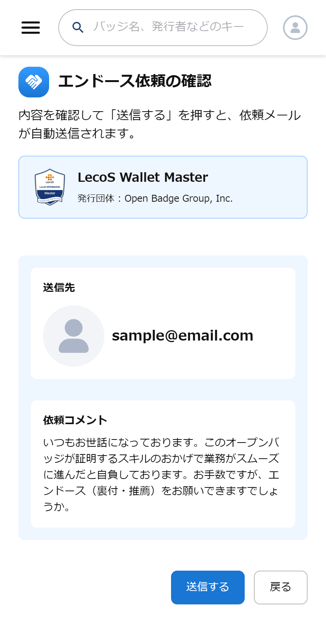
- 依頼内容を確認し、「送信する」をクリックして完了です。

※このシステム画面は開発中のものであり、実際の仕様と異なる場合があります。ご了承ください。